
Tell Ellis what you want to do.
Ellis is Incenify’s AI agent for salespeople and partners, built into the web platform and available in the native iPhone app. Find an offer, report a sale, or choose a reward through a conversation.
Ellis brings your program into the conversation.
Ask what your points can get you, send an invoice, or return to something you saved. Ellis uses the offers, points, and rewards available to you to prepare the next step.
Send an invoice and Ellis gets the sale ready.
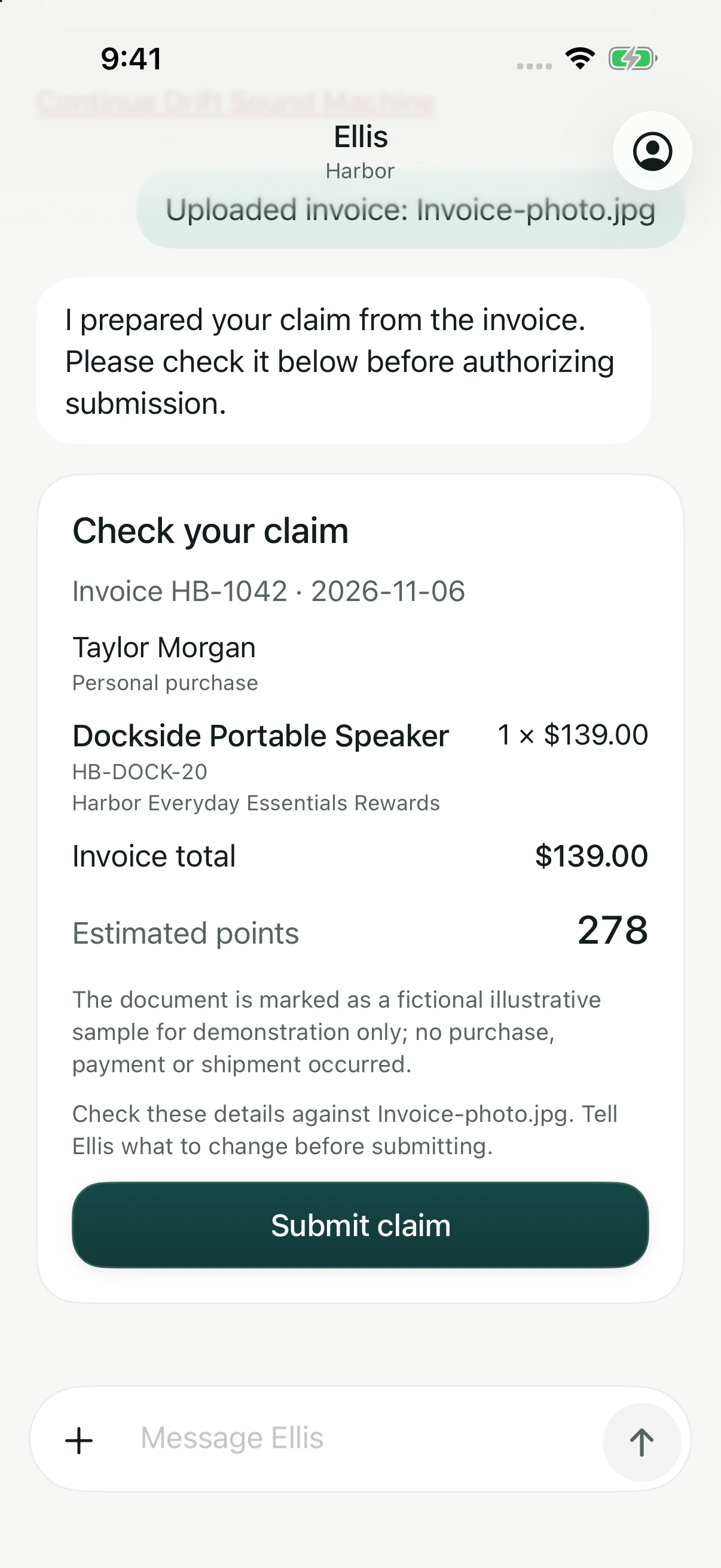
Take a photo in the app or attach an invoice PDF. Ellis reads the details, asks about anything that needs clarification, and prepares a card for you to check.
Make any corrections in the conversation, then confirm to submit. Incenify reviews the sale against your program’s rules.
Ask for something worth working toward.
Find rewards available to you, check your points, or ask what you can earn toward a goal. Ellis helps you choose a next step based on your program and interests.
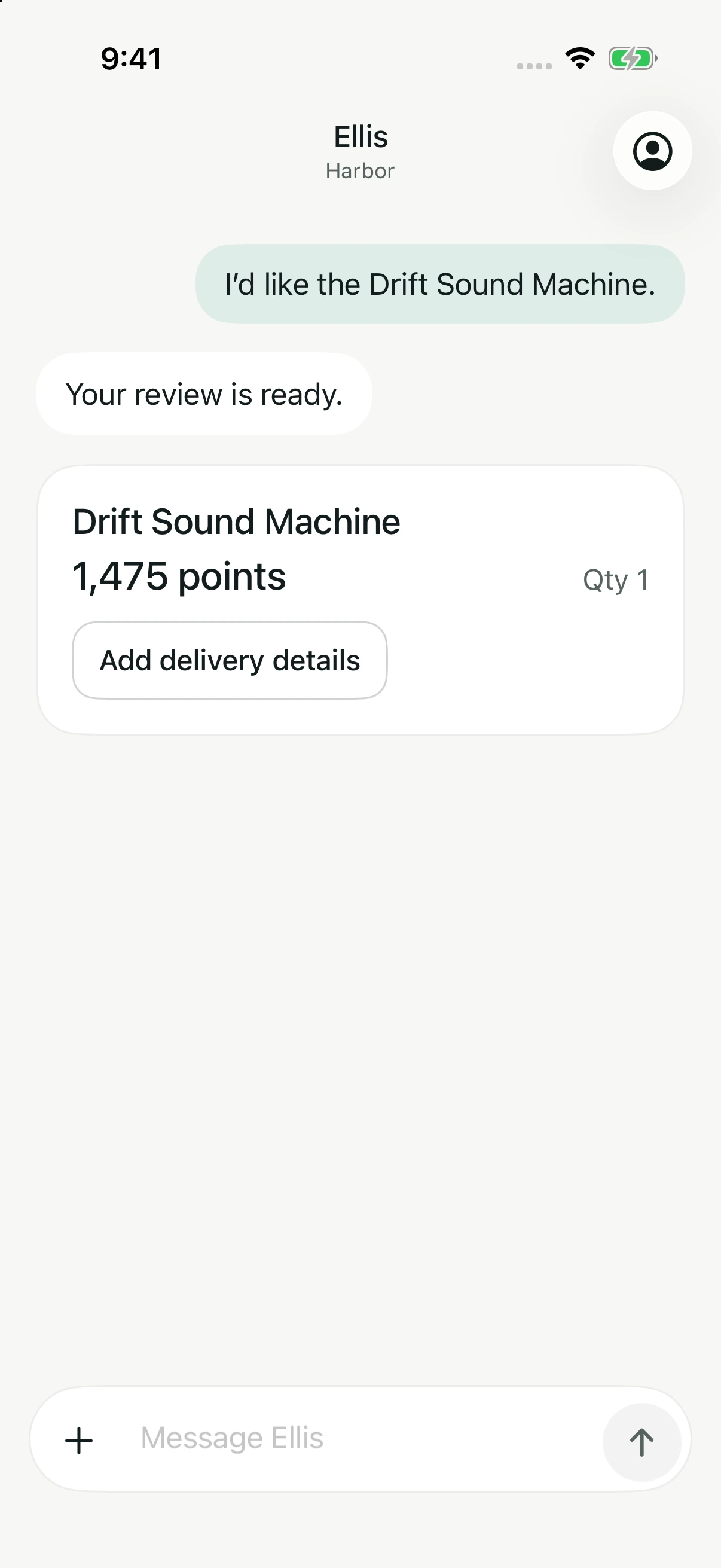
When you choose a reward, Ellis brings together the points and delivery details for you to review before you confirm.
Ask what’s available to you.
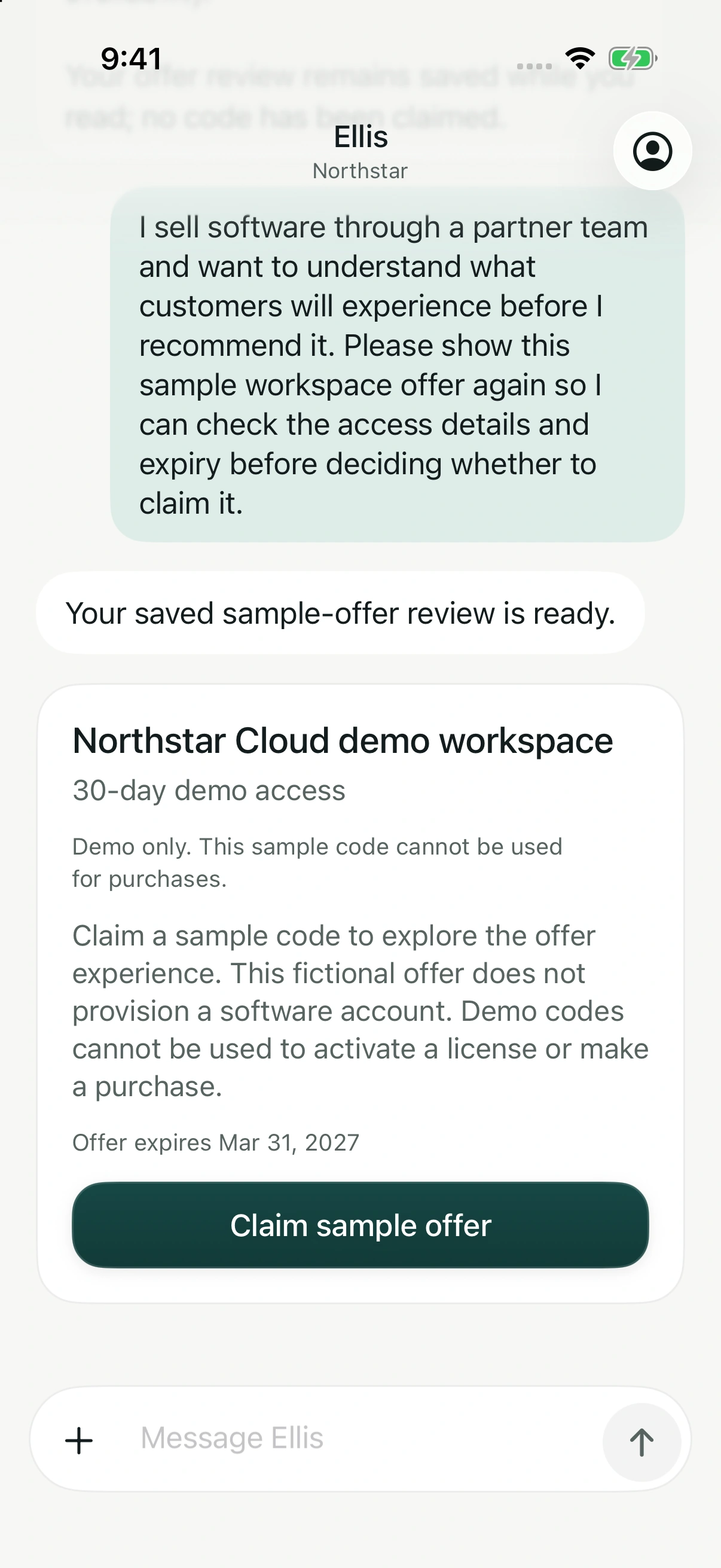
Find demo access, a software offer, or a product promotion through the same conversation. Ellis checks what your program makes available and brings the details together.
Check the offer terms, requirements, and expiry before confirming. Your program decides which offers you can use and how often.
Keep your place when the day moves on.
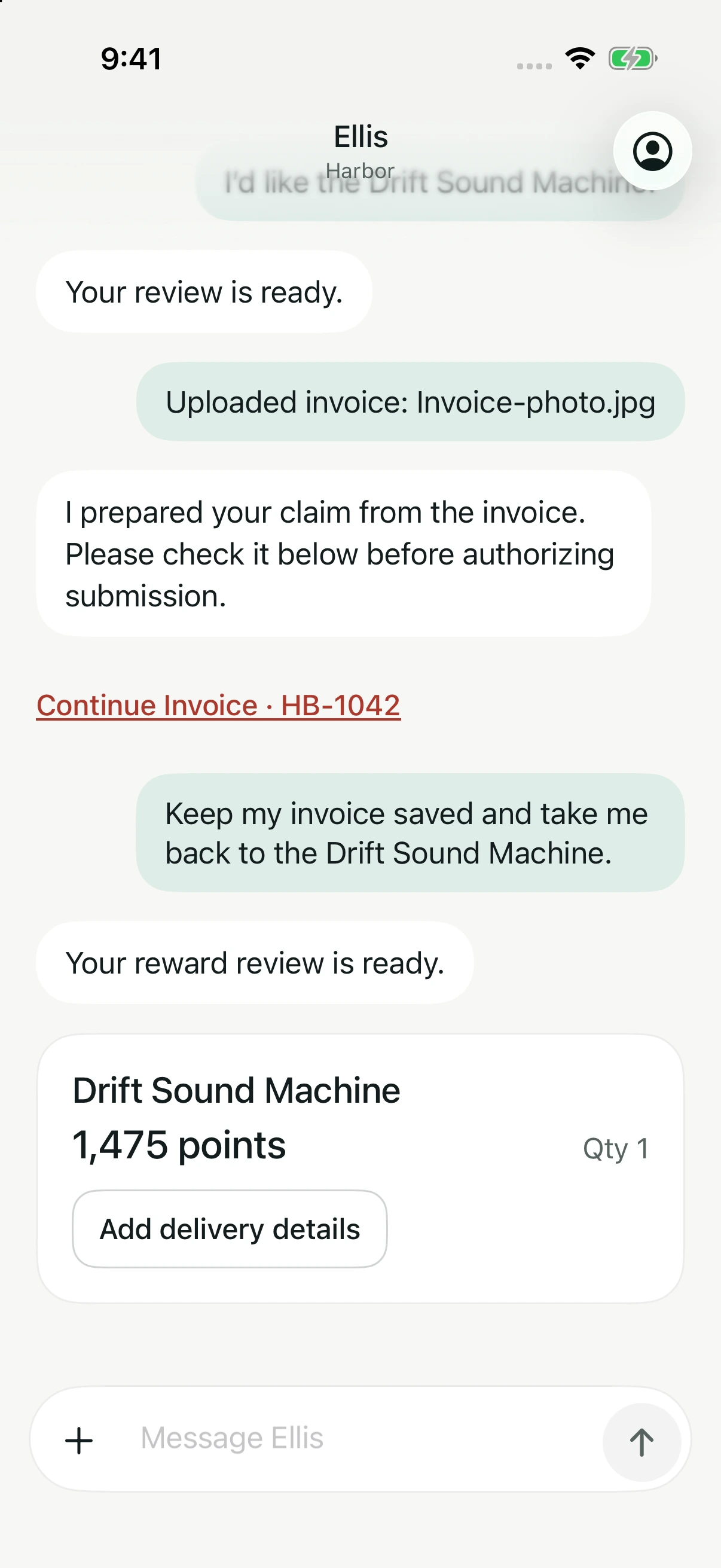
Start a sale, look at an offer, or consider a reward. Ellis keeps unfinished work available so you can return to it through the conversation.
Ask to return to your saved invoice or reward. Earlier submissions and receipts stay available too.
Use Ellis wherever you take part.
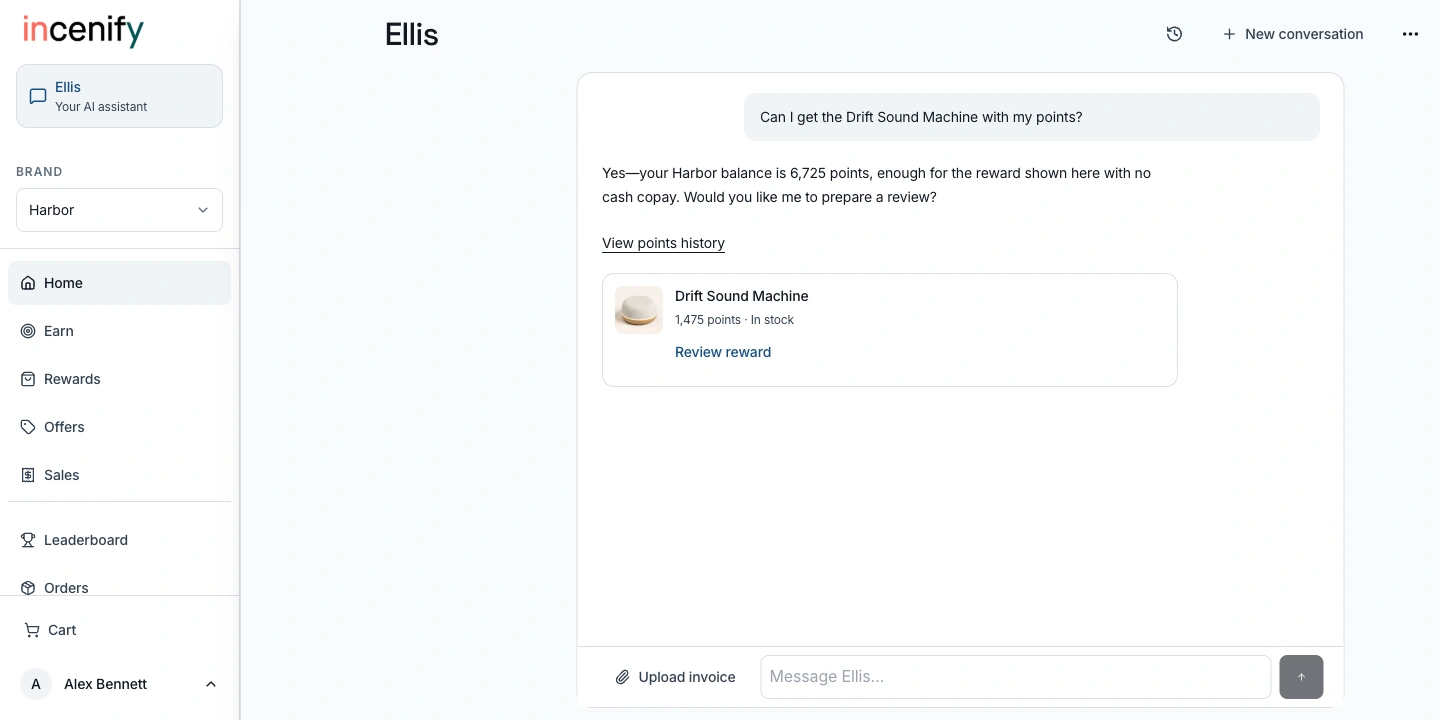
Ask whether you have enough points for a reward. Ellis checks your balance and shows the reward with its points cost, ready for you to review. Use Ellis in the web platform or in the native Incenify app for iPhone.

Use your existing Incenify program account to sign in. Offers and rewards depend on your program.
Incenify · Ellis on the web
Tap the screen to open full size.
Actual Incenify web platform · A reward lookup using the Harbor demo account’s available points.
View full size (opens in a new tab)You choose how Ellis fits your program.
Ellis is optional for your program.
You decide whether to offer Ellis. We turn it on only after your organization approves its use. Your program can run through the program page and text submission with Ellis switched off.
People have choices, too.
The iPhone app asks each person for permission before AI processing starts. They can turn off future AI processing in Account on that device. Personalized suggestions have a separate off switch in the app and web settings.
Your rules determine eligibility and points.
Incenify’s platform applies your program’s rules. Ellis helps people find information and prepare actions; the AI model does not decide who qualifies or award points. People check the details and confirm before submitting a sale, claiming an offer, or using points for a reward.
Ellis uses OpenAI to understand messages and read invoices. Relevant parts of the conversation and the program information needed to answer are shared with OpenAI. That can include points, reward choices, and sale or order status. Invoice photos or PDFs attached for reading are also shared.
When personalized suggestions are enabled, they can use saved rewards, past redemptions, claimed offers, and interests the person confirms. Turning suggestions off is separate from turning off AI processing in the iPhone app.
See how Ellis could work in your program.
Bring your audience and the action you want to encourage. We’ll show how Ellis can make it easier to take part, alongside your program page and text submission.